
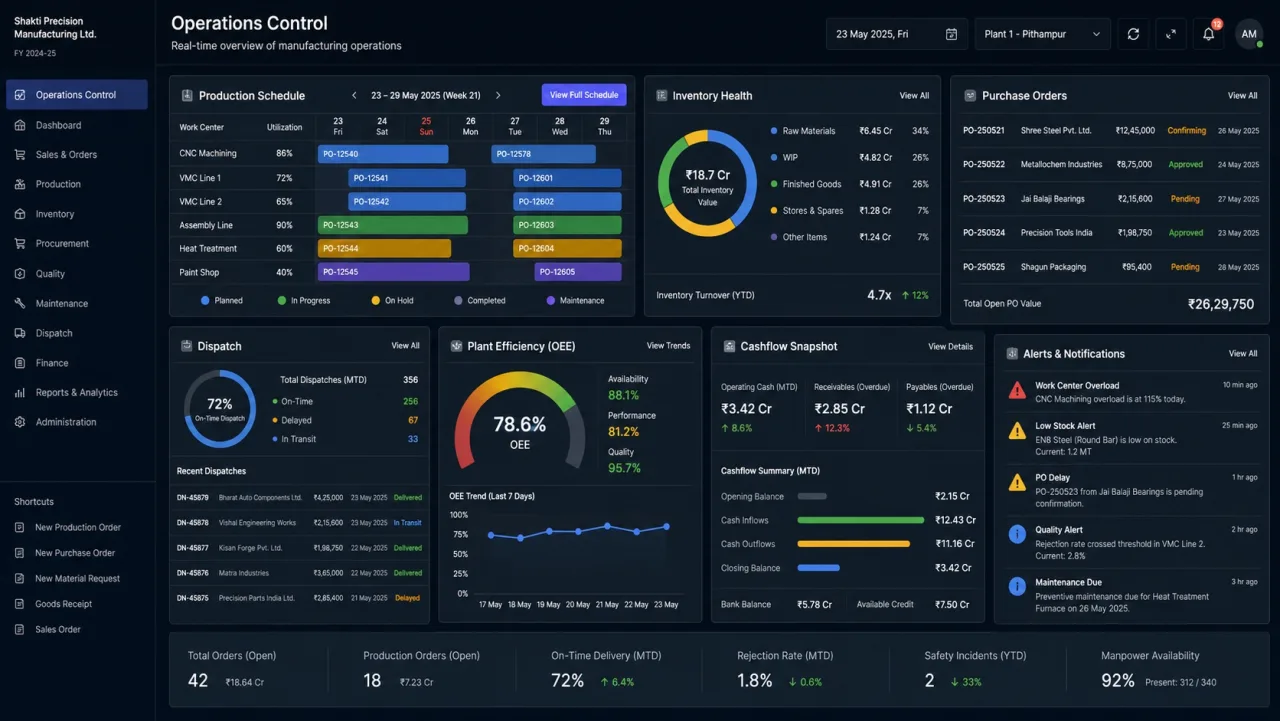
Manufacturing ERP succeeds when it follows physical and financial reality from demand to material, production, quality, dispatch and collection.
Put this guidance into practice
Explore our custom CRM and ERP development, software development, application launch, premium website development and business automation services. We scope the work around your existing tools, team and goals.
Start from the material and decision flow
An ERP project should begin on the shop floor and in the operating review—not with a generic module checklist. Map how demand becomes a plan, how material is reserved, how production is recorded and how exceptions reach decision-makers.
The same transaction should not be retyped across sales, stores, production and accounts. Define the source record and the state changes that every department can trust.
- Enquiry, quotation and sales order
- Bill of materials and material planning
- Production issue, output and rejection
- Quality, packing, dispatch and invoicing
Design controls without slowing the operation
Permissions and approvals should protect important decisions while keeping routine work fast. Different roles need focused views: a store user needs material context, a planner needs shortages and capacity, and management needs exceptions and trends.
Capture only data that supports a decision, obligation or traceability requirement. Excessive entry creates poor adoption and unreliable dashboards.
- Role-specific work queues
- Approval thresholds
- Batch or serial traceability where required
- Audit history for critical changes
Integrate the financial consequence
Operational events have financial meaning. Purchases create commitments, production consumes inventory, dispatch triggers billing and returns affect stock and customer balances.
Whether finance is built into the system or integrated with accounting software, ownership and reconciliation rules must be explicit. Dashboards should make data freshness visible instead of presenting false certainty.
- Purchase and landed-cost context
- Inventory valuation boundaries
- Receivables and collection status
- Exception-based management reporting
Roll out by operational value
A phased ERP rollout reduces risk. Start with master data and one end-to-end flow, pilot with accountable users, resolve exceptions and then expand to additional plants, products or functions.
DigiStartup India designs custom CRM and ERP interfaces around the roles, controls and reports a business actually needs, with training and improvement cycles included in the delivery model.
Further reading
Frequently asked questions
What modules does a manufacturing ERP need?+
Common modules include sales orders, purchasing, inventory, bill of materials, production planning, work execution, quality, packing, dispatch and finance integration. The exact scope should follow the manufacturing process.
Can ERP be implemented in phases?+
Yes. A phased implementation usually begins with clean master data and one end-to-end operational flow, then expands after users and controls are stable.
What is the difference between CRM and ERP?+
CRM primarily manages customer acquisition and relationships. ERP coordinates operational and financial resources. In many businesses, integrating them creates a continuous flow from enquiry to fulfilment and service.